How notifications work
Which channels YEMISCE uses to notify clients and your team, how a client picks a main and backup channels, what the business channel switches do, and which notifications you personally get in “My notifications”.
Updated
On this page
ChannelsHow a client picks a channelBusiness channelsMy notifications: what you receiveFAQYEMISCE sends notifications to two sides. Clients get confirmations, reminders, and messages about cancellations and reschedules. You and your team members get alerts about new bookings and other events that need attention. Everything is set up in “Settings” → “Notifications”.
Channels
- Push — a browser notification on a phone or computer. It works on the device where it was allowed.
- Telegram — messages from the YEMISCE bot.
- Email — a message to an email address.
- SMS — to clients only, and only through your own TurboSMS account. See Connecting TurboSMS.
How a client picks a channel
When booking online, in the “Booking reminders” block the client:
- picks a main channel: Telegram and Push (if they are on in the “Channels” block, see below), SMS (if you have TurboSMS connected and the client entered a phone number) or Email — Email is selected by default;
- optionally ticks “Backup channels you also permit”.
Under the buttons it says: “Choosing a channel is consent to service messages about this booking.” Clients connect Telegram and push in their “My bookings” account — see Notifications for clients.
YEMISCE then works like this:
- it tries the client’s main channel first;
- if that channel is unavailable or fails, it tries the client’s backup channels in the order Push → Telegram → SMS → Email;
- as soon as one message is delivered, the remaining channels are not used;
- if push isn’t confirmed on the client’s device within about a minute, the same message goes through the next permitted channel.
YEMISCE never uses a channel the client didn’t permit.
If the client never picked a channel — for example, you booked them in the dashboard and they haven’t booked online yet — YEMISCE tries Push → Telegram → Email among the ones the client has. Such a client doesn’t get SMS.
Business channels
“Settings” → “Notifications” has a “Channels” block with the switches “Push”, “Telegram” and “Email”. Click “Save” after changing them.
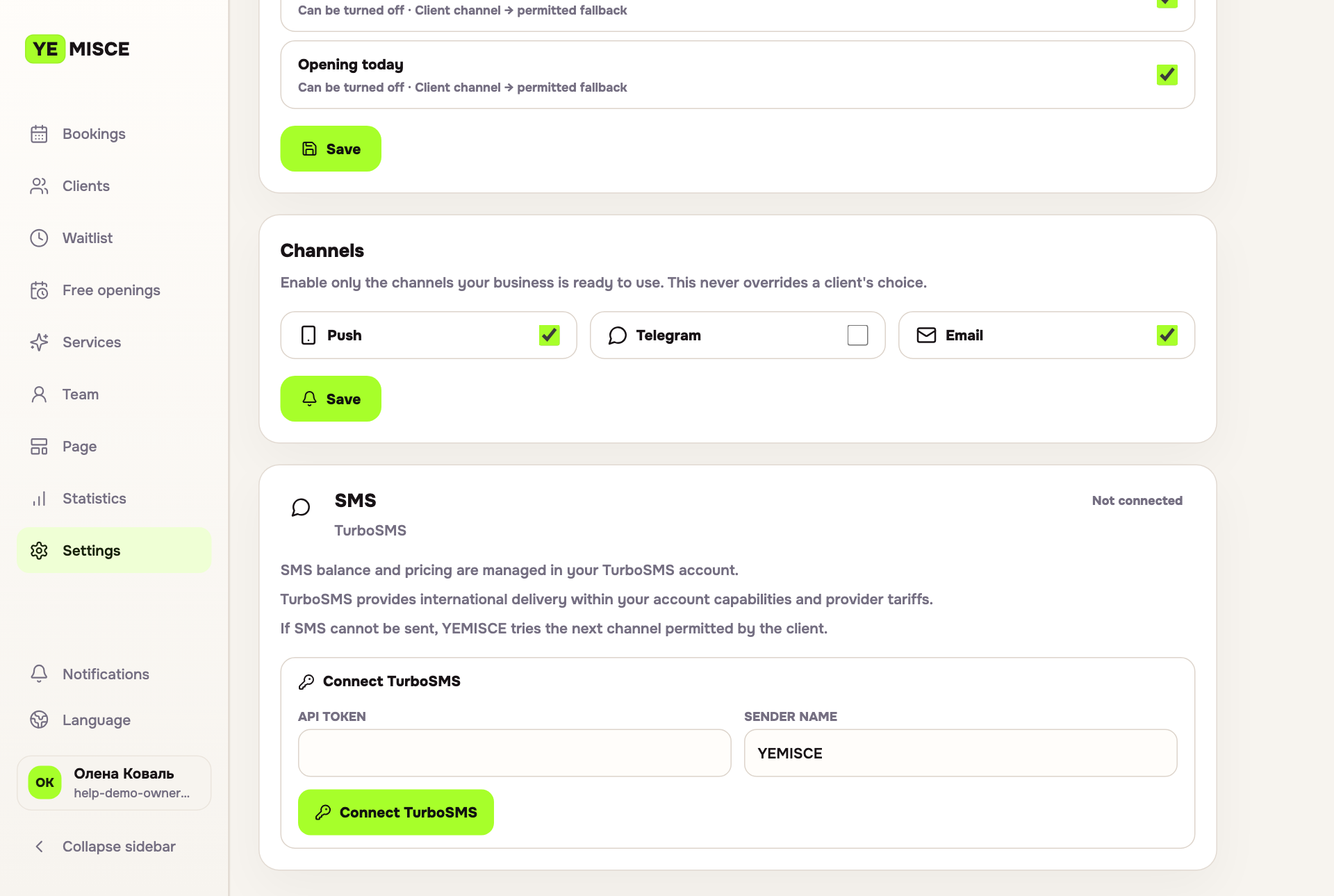
As the hint says, “This never overrides a client's choice”: the switches don’t add channels a client hasn’t permitted. They only block a channel for all of the business’s clients. Telegram and Push are not offered in the booking form while they are off. A channel that is off isn’t used even if the client chose it earlier. If the client permitted only that channel, they won’t get the message.
There is no switch for SMS here: SMS works while TurboSMS is connected.
These switches apply to clients only. They don’t affect the notifications you and your team members receive.
My notifications: what you receive
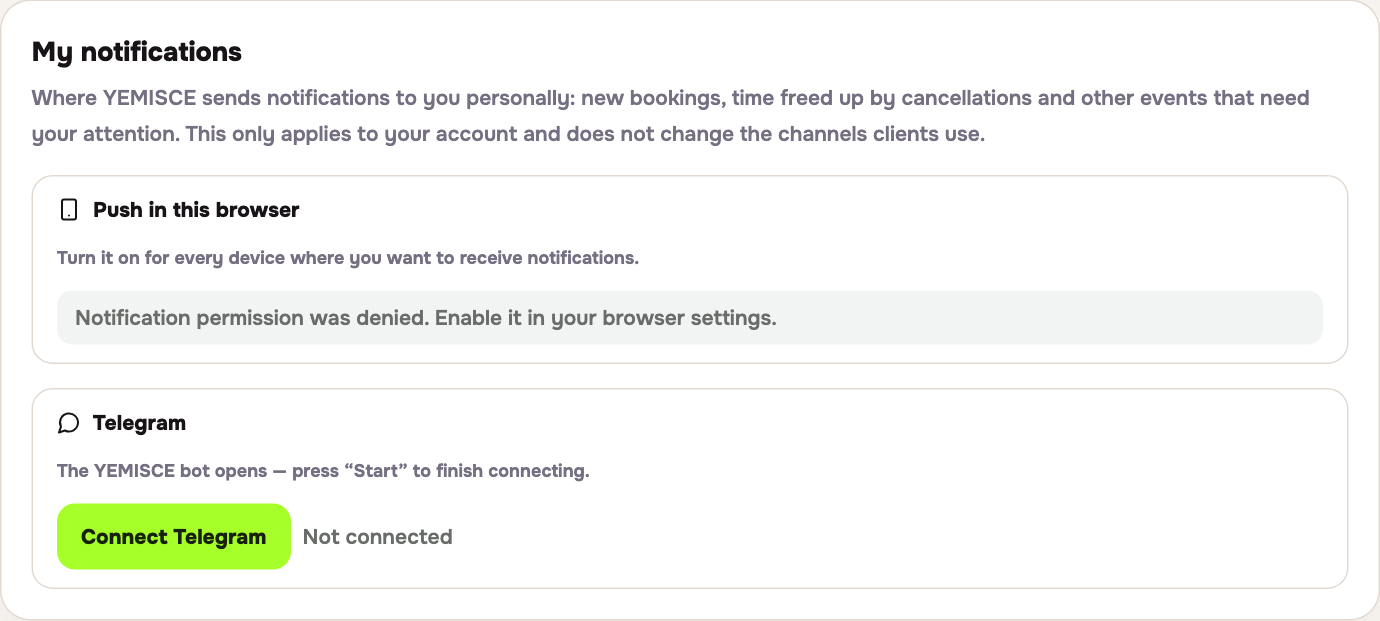
At the top of “Settings” → “Notifications” there is a “My notifications” block. This is where you connect channels for yourself:
- “Push in this browser” — click “Enable notifications” and allow notifications in the browser. Repeat on every device where you want them.
- Telegram — click “Connect Telegram” and press “Start” in the YEMISCE bot.
These connections apply only to your account and don’t change the channels clients use. Team members have the same block in their “Account” section — see The team member dashboard.
You are notified about:
- a new booking — made by a client online, or created in the dashboard by you or a team member;
- a booking cancelled or rescheduled by the client — when the client cancels or moves their booking themselves;
- a new waitlist request — the link in the notification opens the “Waitlist” section;
- free time today after a cancellation — when a booking for today is cancelled, the “Open today” feature is on and “Publish freed time automatically” is off: a draft appears in “Free openings”, and you decide whether to offer the time to clients. See “Open today”;
- a problem after a visit reported by a client — see Aftercare.
For a new booking, a cancellation or reschedule by the client, a free-time draft and a post-visit problem, the booking’s specialist is notified too, if they have dashboard access.
When you or a team member cancel or reschedule a booking in the dashboard, there is no separate notification — you see these changes in “Bookings”. There are no reminders about your own upcoming appointments either.
The order for you and your team: Push first, then Telegram, then Email to your login address. You never get SMS. Neither the event switches in “Service notifications” nor the “Channels” switches affect your own notifications.
FAQ
Telegram is connected in “My notifications”, but messages don’t arrive.
If Push is on and works on your device, notifications go there, and Telegram is used as the backup.
Sometimes I get both a push and a Telegram message.
If your device didn’t confirm the push within about a minute (for example, it was offline), YEMISCE sends the same notification through the next channel.
I created a booking in the dashboard myself and got a notification about it. Is that a bug?
No. The owner is always notified about a new booking, whoever created it.
A client says they didn’t receive anything.
Check that the channel the client chose isn’t turned off in “Channels”. Ask the client to check their channel choice in “My bookings”. If reminders don’t arrive, see Notification events and reminders.
“Telegram bot is not configured yet.” appears.
Connecting Telegram is temporarily unavailable. Write to hello@yemisce.com.